
SpaceLABS by DigitoTales
Every student gets their own lab bench.
Physics, chemistry, biology, and math experiments in 3D, right in the browser. Students set up the apparatus, take measurements, and see the result with their own eyes. Teachers assign tasks and track who is progressing in which skill.
DigitoTales
SpaceLABS by DigitoTales is a digital science campus where students run experiments with their own hands. They set up the apparatus, change one variable, measure, and record the result in their lab notebook. The moment they add a base, they watch the pH reading climb. What the teacher explained on the board shows up on their own screen.
- Format
- 3D labs that open in the browser, nothing to install
- Who it’s for
- Students from kindergarten through grade 12; science and math teachers
- In your school
- Classroom teaching, lab lessons, the smart board, and homework
- Outcome
- Students’ own measurements, a lab notebook, and skill progress
How it works
You ask the question. Students measure the answer.
- 1
Ask the question
Open the lab that fits the topic and give the class a research question: “How does pH change when you add a base?” If you like, start together on the smart board.
- 2
Let students build and measure
Students place the materials, change one variable, and write the reading from the display in their lab notebook. If they get stuck, a hint appears and the lesson keeps going.
- 3
Discuss the results
The class puts their measurements side by side and talks about the real question: Why did it turn out this way?
Nothing to install. Labs open in the browser on school computers, on the smart board, or at home.
What’s included
Students measure. You see the progress.
They read the result themselves
pH, speed, time, current, voltage, temperature. Students don’t hear the result from someone else; they read it off the display on screen.
A hint when they get stuck
Tasks open one at a time. When a student gets stuck, a hint steps in, so they don’t sit with a raised hand waiting for you.
Their own lab notebook
Every measurement goes into the notebook. Students lay out the values side by side in a table and a graph and look for the relationship themselves.
Your class’s progress in front of you
You assign the tasks. You track what each student measured and which skills they are progressing in.
Mapped to the curriculum
Skills are mapped to Common Core and NGSS codes. Which lab covers which outcome is already worked out.
With the whole class on the smart board
Not every student has a computer? That works too. Open the lab on the smart board and run it with the class as you teach.
Labs
The labs you can open in your classroom.
Labs now open in physics, chemistry, biology, and math. The goal is more than 50 labs.
Physics
- Motionforce, friction, collisions
- Projectilesangle, speed, gravity
- Circuitsseries and parallel connections
- Heatmelting, specific heat, insulation
- Measurementmass, volume, density
Chemistry
- Reactionsacid-base, dilution, precipitation
- Mixturesseparation and dissolving
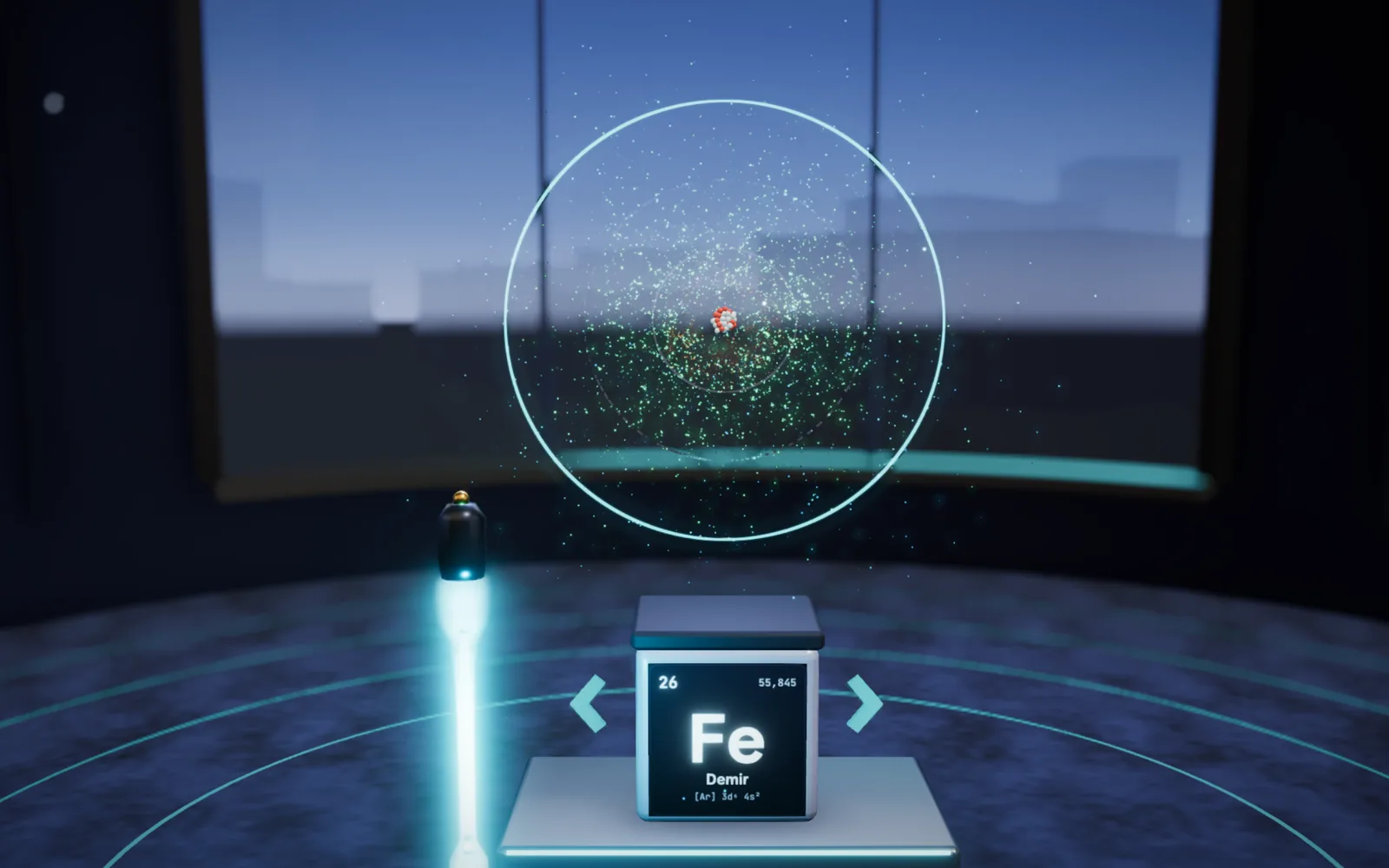
- Periodic table118 elements
Biology
- Cellsorganelles and their jobs
Math
- Fraction workshop
- Solids workshopnets, cross-sections, volume
- Functionsfrom lines to waves
Who gains what
In this lesson, no one just watches.
Teacher
Teachers run a lab lesson without spending time on materials prep. They see what each student measured and which skills each student is progressing in, and they plan the next lesson with that information.
Student
Students build the experiment with their own hands and see the result with their own eyes. If they get it wrong, they start over; if they get stuck, a hint appears. The value in their notebook is one they measured themselves.
Class
Everyone’s measurements come to the table. If the values differ, the class looks for the reason together.
FAQ
Questions before you decide.
Do we need to install anything?
No. The labs run in the browser and open on school computers, on the smart board, or at home. Your IT team doesn’t need to install anything.
Which grade levels is it for?
Kindergarten through grade 12. Each lab has its own grade range; for example, the projectile lab is for grades 9–11.
How does it map to the curriculum?
Skills are mapped to Common Core and NGSS codes. Teachers walk into class knowing which outcome each lab serves.
Does it replace a physical lab?
No, it complements one. Experiments that are hard or dangerous to set up at school can be repeated here safely, as many times as students want.
Also worth a look
These can help as well.

Let’s talk
Let’s pick the right labs for your school’s topics.
In a meeting, let’s talk through which grades and subjects will use them, and how they’ll open on your school computers and smart boards.